Forme PDF Preview for VS Code
Live PDF preview, component tree, and inspector - without leaving your editor.
I use the Forme CLI dev server every day. Run npx @formepdf/cli dev invoice.tsx, a browser window opens, edit the file, see the PDF update. It works well.
But it's a context switch. You're in your editor, you open a terminal, you open a browser. Three things instead of one.
The VS Code extension collapses that to zero. Open a Forme template, run Forme: Preview to Side, and the preview appears next to your code. Edit the file, the PDF updates. No terminal, no browser.
What's in it
The preview panel has the same modes as the CLI dev server - Preview, Layout, Margins, Breaks. Layout mode draws blue boxes over every element so you can see exactly what the engine computed.
The component tree and inspector live in the VS Code sidebar as native panels. Click an element in the PDF and the tree selects it, the inspector shows the box model and computed styles, and the editor jumps to the source line. Click a node in the tree and the PDF highlights it.
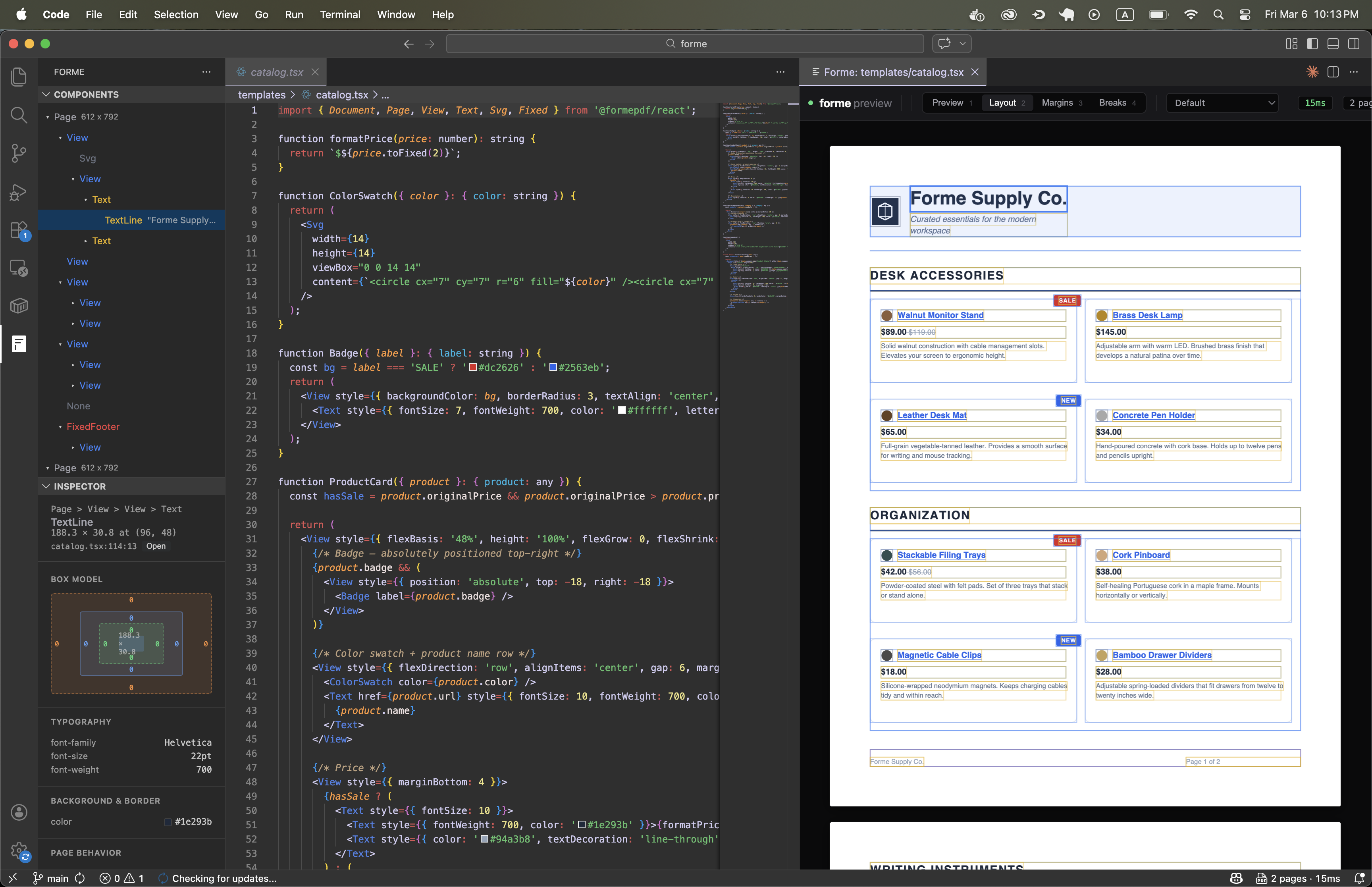
It's the same inspection experience as the CLI dev server, just integrated into the editor instead of a browser tab.
Install
Search Forme PDF Preview in the VS Code extension marketplace, or:
ext install formepdf.forme-pdfOpen any .tsx file that imports from @formepdf/react and run Forme: Preview to Side from the command palette.
GitHub · Marketplace · Docs