OpenType shaping, BiDi text, and CSS Grid
Forme now shapes text with real OpenType tables, renders Arabic and Hebrew correctly, and supports 2D grid layouts. Here's what changed and why it matters.
Three features shipped today that close the biggest gaps between Forme and browser-based PDF engines: OpenType shaping, bidirectional text, and CSS Grid layout.
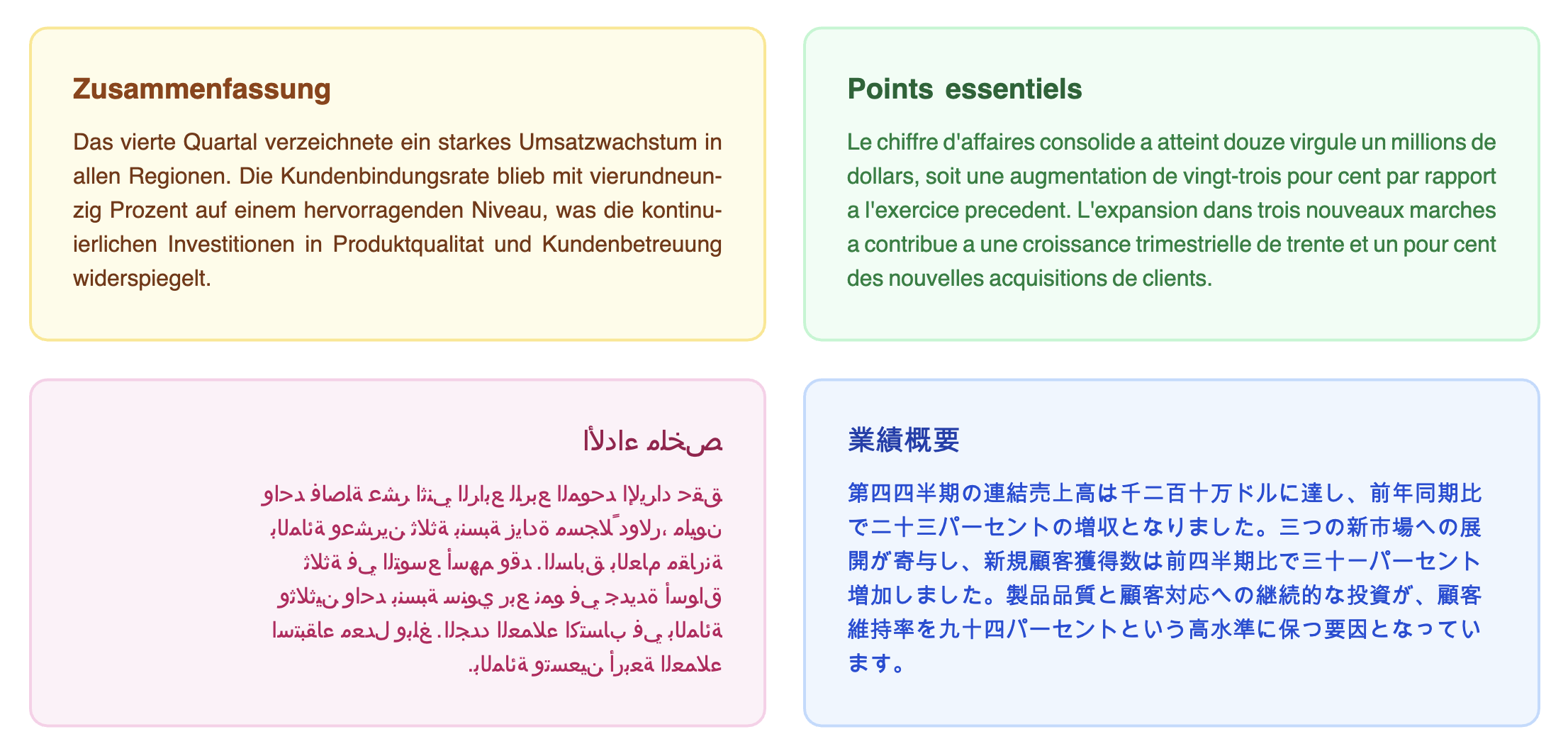
OpenType shaping
Until now, Forme rendered text character by character. Each character mapped to a glyph ID (just the Unicode codepoint cast to a number), and each glyph was positioned using per-character width tables. This works for basic Latin text with standard fonts, but it falls apart with custom fonts.
The problem: OpenType fonts contain GSUB and GPOS tables that define how characters combine. GSUB handles substitutions -- the "f" and "i" glyphs become a single "fi" ligature glyph. GPOS handles positioning -- the "A" and "V" glyphs kern closer together because the diagonal strokes create visual space. Without reading these tables, text rendered with custom fonts had no ligatures, no kerning, and no contextual forms.
We integrated rustybuzz, a pure-Rust port of HarfBuzz. It's WASM-safe, so it works in both Node and browser environments. The shaping pipeline now works like this:
- Text goes into rustybuzz with the font data
- rustybuzz reads GSUB/GPOS tables, applies substitutions and positioning
- Out comes a sequence of shaped glyphs with real glyph IDs and precise advances
- Line breaking uses cluster widths instead of per-character widths
- PDF emission writes the real glyph IDs, not codepoints
The result is that custom font text now looks correct. Ligatures render. Kerning is applied. The fi in "find" is a single glyph. The space between "AV" tightens up.
Standard fonts (Helvetica, Times, Courier) bypass shaping entirely -- they use the built-in metrics tables and character-based rendering, which is correct for these fonts.
import { Font, Document, Text } from '@formepdf/react';

Font.register({
  family: 'Inter',
  src: './fonts/Inter-Regular.ttf',
});

// Ligatures and kerning happen automatically
<Document>
  <Text style={{ fontFamily: 'Inter', fontSize: 16 }}>
    find office waffle  {/* fi, ffi ligatures */}
  </Text>
  <Text style={{ fontFamily: 'Inter', fontSize: 16 }}>
    AV To Ty  {/* kerning pairs */}
  </Text>
</Document>
What this means for existing documents
If you use custom fonts, text widths will change slightly. Kerning makes some letter pairs tighter. Ligatures reduce glyph count. Line breaks may shift as a result. This is correct behavior -- your documents now match what the font designer intended. Standard font documents are completely unaffected.
BiDi text
Arabic and Hebrew are written right-to-left. A paragraph with mixed English and Arabic needs characters reordered visually -- the Arabic runs flow right-to-left while the English runs stay left-to-right. Unicode's Bidirectional Algorithm (UAX #9) defines how this works.
We added the unicode-bidi and unicode-script crates to handle this. The text pipeline now:
- Analyzes text with
unicode-bidito determine directional runs and embedding levels - Detects script per run (Latin, Arabic, Hebrew, etc.)
- Shapes each run separately with rustybuzz, passing the correct direction
- Reorders runs visually after line breaking (the L2 algorithm)
The direction style property controls the base paragraph direction:
// Explicit RTL
<Text style={{ direction: 'rtl' }}>مرحبا بالعالم</Text>

// Auto-detect from content
<Text style={{ direction: 'auto' }}>Hello مرحبا World</Text>

// Set on a container -- inherits to children
<View style={{ direction: 'rtl' }}>
  <Text>هذا نص عربي</Text>
  <Text>This stays LTR inside an RTL container</Text>
</View>
When direction is 'rtl' and textAlign isn't set, text defaults to right-aligned. This matches CSS behavior.
A fast path skips the BiDi machinery entirely for pure-LTR text (the common case), so there's no performance cost for documents that don't need it.
CSS Grid
Forme has had flexbox since day one. Flex is great for one-dimensional layouts -- a row of items or a column of items. But reports and dashboards need two-dimensional layouts: rows AND columns at the same time.
CSS Grid is the answer. Set display: 'grid' on a View, define your column tracks, and children flow into a 2D grid:
<View style={{
  display: 'grid',
  gridTemplateColumns: '1fr 2fr 200',
  gap: 10,
}}>
  <Text>Cell 1</Text>
  <Text>Cell 2</Text>
  <Text>Cell 3</Text>
  <Text>Cell 4</Text>
  <Text>Cell 5</Text>
  <Text>Cell 6</Text>
</View>
This produces a 3-column, 2-row grid. The first column gets 1 fraction of remaining space, the second gets 2 fractions, and the third is fixed at 200 points.
Track sizing
Track sizes can be:
- Fixed:
200-- exactly 200 points - Fractional:
'1fr','2fr'-- distributes remaining space proportionally - Auto:
'auto'-- sized to content
You can pass tracks as a string shorthand (gridTemplateColumns: '1fr 2fr 200') or as an array (gridTemplateColumns: [100, '1fr', 'auto']).
Explicit placement
By default, items auto-place left-to-right, top-to-bottom. You can override this with explicit placement:
<View style={{
  display: 'grid',
  gridTemplateColumns: '1fr 1fr 1fr',
}}>
  {/* Spans columns 2-3 */}
  <View style={{ gridColumnStart: 2, gridColumnEnd: 4 }}>
    <Text>Wide cell</Text>
  </View>

  {/* Spans 2 rows */}
  <View style={{ gridRowSpan: 2 }}>
    <Text>Tall cell</Text>
  </View>

  <Text>Normal</Text>
  <Text>Normal</Text>
</View>
Page breaks
Grid rows are treated as unbreakable units. When a row doesn't fit on the current page, it moves to the next page. This is the same behavior as table rows -- a reasonable default that prevents cells from splitting across pages.
What's not included
This is a practical subset of CSS Grid, not the full spec. No grid-template-areas, no dense auto-flow, no subgrid. repeat() syntax is supported (repeat(3, 1fr)). These can be added later if there's demand, but the current feature set covers the common cases: data grids, form layouts, dashboard cards, and report sections.
Putting it together
These three features reinforce each other. OpenType shaping gives accurate text widths, which makes line breaking and grid column sizing more precise. BiDi text makes Forme usable for Arabic, Hebrew, and multilingual documents. Grid layout makes it practical to build the kind of structured reports and dashboards that PDF is actually used for.
<Document>
  <Page size="A4" margin={40}>
    <View style={{
      display: 'grid',
      gridTemplateColumns: '1fr 1fr',
      gap: 16,
    }}>
      <View>
        <Text style={{ fontSize: 18, fontWeight: 700 }}>English Section</Text>
        <Text style={{ fontSize: 12, hyphens: 'auto', lang: 'en-US' }}>
          This text uses optimal Knuth-Plass line breaking with automatic
          hyphenation, and the custom font renders with proper ligatures.
        </Text>
      </View>
      <View style={{ direction: 'rtl' }}>
        <Text style={{ fontSize: 18, fontWeight: 700 }}>القسم العربي</Text>
        <Text style={{ fontSize: 12 }}>
          هذا النص يُعرض من اليمين إلى اليسار مع تشكيل صحيح للحروف العربية.
        </Text>
      </View>
    </View>
  </Page>
</Document>
All three features are available now in the latest release.