Generate a PDF template from any image using AI
Upload a screenshot, PDF, or photo of any document and Forme's AI recreates it as an editable JSX template. No starting from scratch.
This feature has been retired (2026-09-02). AI template generation was part of the hosted dashboard, which shut down when Forme went open-source only. The post is preserved for reference. Today's equivalent: @formepdf/mcp lets AI tools like Claude and Cursor generate Forme PDFs directly, and the HTML input path means an existing HTML document often needs no recreation at all.
Every developer building invoices, reports, or contracts eventually hits the same wall: you have a design you like - a PDF someone emailed you, a screenshot from Dribbble, a template your client uses - and you need to recreate it in code.
The old way: open your editor, stare at the design, start writing layout code from scratch. An hour later you have something that sort of looks right.
Forme now has a better way.
Upload any reference, get a template back
Drag in a screenshot, an existing PDF, or any image of a document layout. Forme's AI analyzes the visual structure - columns, typography, colors, tables, spacing - and generates a Forme JSX template that recreates it.
The output isn't pixel-perfect. It's a starting point: 80% of the work done in seconds, ready for you to refine.
What it looks like in practice
Take this invoice template - a standard blue-header layout with a line items table, totals section, and comments box:
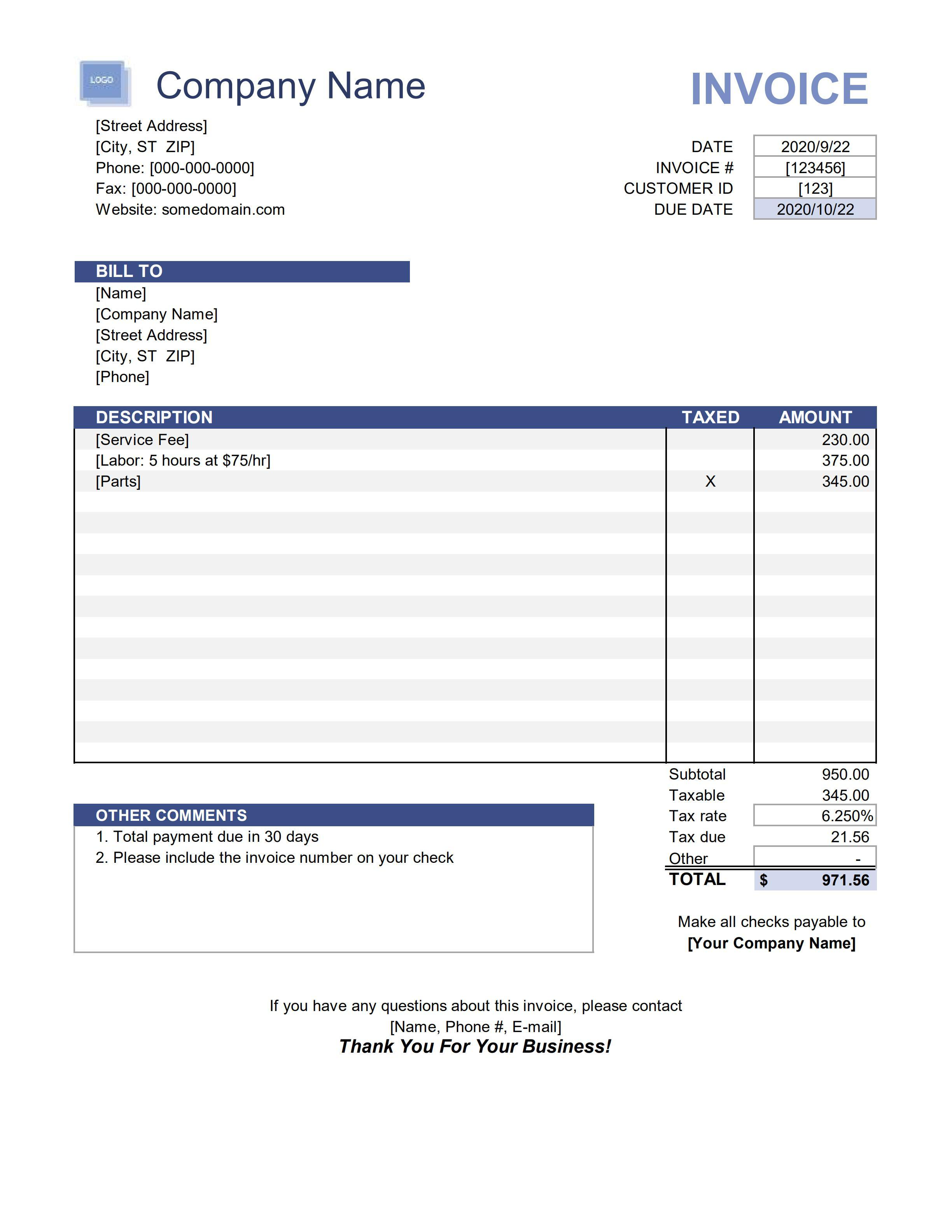
Upload it to Forme's template generator. Thirty seconds later:
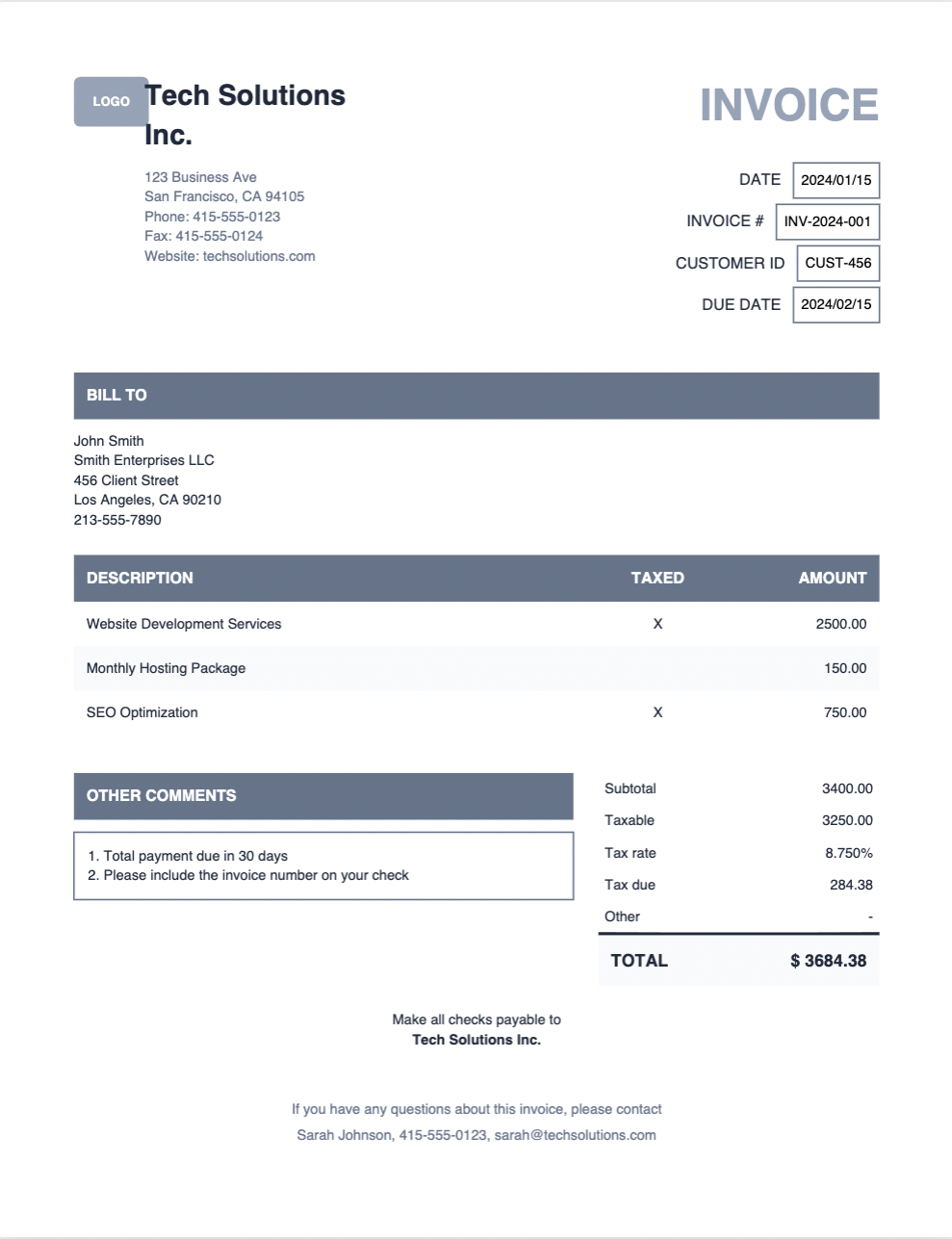
The layout structure is there. The blue header rows, the two-column billing section, the table with alternating rows, the totals breakdown. The AI picked up the color scheme and reproduced it with the correct hex values.
From here you swap placeholder text for {data.fieldName} variables, adjust any spacing that's off, and you have a production-ready template.
Why this is different from other AI PDF tools
Most "AI PDF generators" let you describe a document in text and get something generic back. The problem is you still end up with a template that doesn't match your brand, your client's expectations, or the design you actually wanted.
Visual reference changes that. Instead of describing what you want, you show it. The AI has something concrete to work from.
Works with any document type
- Invoice PDFs from your accounting software
- Report designs from Figma or Dribbble
- Screenshots of competitor documents
- Photos of printed forms
- Any image that shows a document layout
The template is fully editable
The generated output is real Forme JSX - not a locked template, not a proprietary format. Open it in the editor, see the live preview, make changes. Add your logo, adjust the color scheme, wire up your data.
export default function Invoice(data) {
  return (
    <Document>
      <Page size="Letter" margin={48}>
        <View style={{ flexDirection: 'row', justifyContent: 'space-between' }}>
          <Text style={{ fontSize: 18, fontWeight: 700 }}>{data.company.name}</Text>
          <Text style={{ fontSize: 28, color: '#1e40af' }}>INVOICE</Text>
        </View>
        {/* ... */}
      </Page>
    </Document>
  );
}
Getting started
AI template generation is available on all Forme plans - Free users get 3 generations, Pro gets 20 per month, Team gets unlimited.
(This sign-up flow no longer exists — see the note at the top of the post.)